How to Evaluate a Molecular Docking GUI: A Two-Run Workflow Plan
Use one reference control and one representative case to evaluate a molecular docking GUI, score workflow evidence, and make a defensible buy, defer, or reject decision.
A workflow evaluation is most useful when it resolves one buying decision, not when it becomes an improvised scientific project. The decision is whether this product makes a recurring docking workflow more visible, recoverable, and efficient than the alternative you already use. The alternative may be a command-line pipeline, another GUI, notebooks, disconnected preparation tools, or a folder-and-spreadsheet process.
Before starting, write down the current alternative, one must-have capability, one unacceptable limitation, and the evidence required to justify paying. This prevents an attractive interface or one favorable score from becoming the decision criterion.
Define what a two-run evaluation can answer
Prepare the scorecard before opening the software
Before-evaluation decision record
| Decision field | Write this before run one | Why it matters |
|---|---|---|
| Current alternative | The exact tools and handoffs used today. | The GUI must be compared with a real baseline, not with an imaginary frictionless workflow. |
| Primary job | For example: prepare supported inputs, preserve settings, review poses, or recover completed runs. | A product cannot be evaluated coherently against every possible docking job at once. |
| Must-have | One observable capability whose absence ends the evaluation. | Prevents post hoc rationalization. |
| Non-negotiable boundary | Platform, input format, export, local-data requirement, or purchase scope. | A polished run cannot compensate for a deployment mismatch. |
| Evidence to retain | Source files, preparation records, parameters, logs, poses, tables, exports, and failure messages. | PLOS guidance emphasizes preserving inputs, preparation steps, and docking parameters for reproducibility [2]. |
| Decision after run two | Buy, defer for a named test, or reject for a documented reason. | A evaluation without a decision rule can consume time without reducing purchasing uncertainty. |
Run one: use a familiar reference control
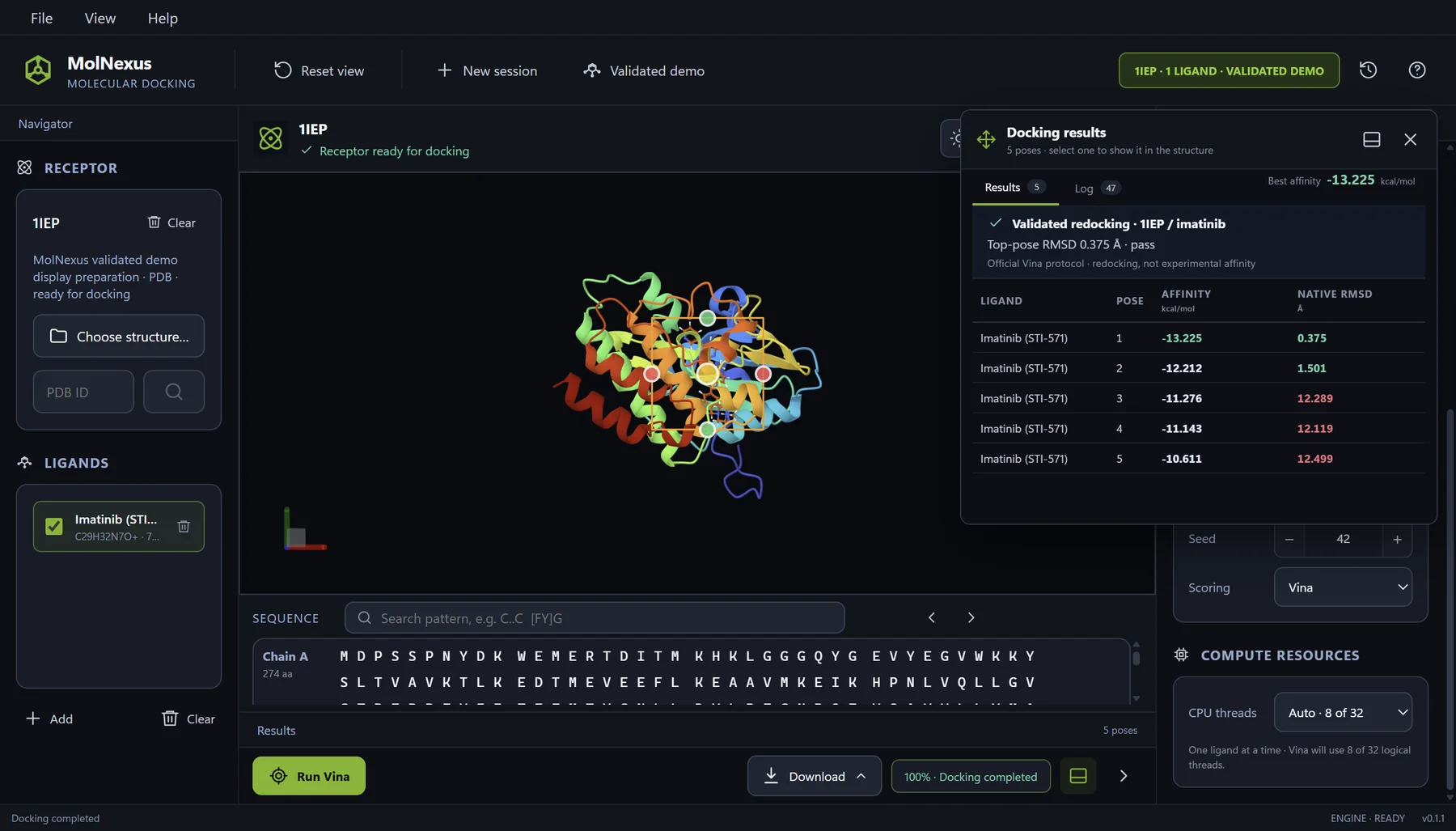
Choose a receptor-ligand case whose identity, binding site, and expected review questions you already understand. A co-crystal with a bound native ligand is useful because it lets you inspect whether the GUI preserves the receptor and ligand, makes preparation visible, places a justified search box, records the engine settings, and presents poses in relation to a known structure. It does not convert one successful redocking into validation of virtual screening.
Record every intervention. If the software changes protonation, atom types, torsions, the receptor, the search box, or a filename, determine whether the change is visible and exportable. Current Meeko documentation illustrates that receptor and ligand preparation are distinct procedures and that Vina expects prepared PDBQT inputs [4]. The GUI should not make this chemistry disappear behind the Run button.
Run two: use a representative real-world case
The second run should resemble the work that would justify the purchase. Use a supported receptor source and ligand format you actually receive, normal naming conventions, a typical preparation problem, and an output you need to hand off or revisit. Do not choose an artificially clean tutorial solely to make the evaluation succeed.
For a two-run evaluation, one receptor with one representative ligand per run keeps the evaluation boundary clear. If a file is rejected, that may be more informative than a successful result: retain the original input, exact message, proposed resolution, and whether the software applies any change automatically. A useful GUI distinguishes source-file rejection, preparation review, engine failure, and pose interpretation instead of collapsing them into one generic error.
Score evidence, not impressions
Two-run molecular docking GUI scorecard
| Criterion | Evidence to inspect in both runs | Stop or investigate when |
|---|---|---|
| Input identity | Source filename, molecule or residue identity, receptor source, ligand count, and any exclusions remain traceable. | A displayed or exported result cannot be mapped unambiguously to the source input. |
| Preparation transparency | Changes, warnings, charges, torsions, protonation assumptions, and suggested resolutions are visible before execution. | The product silently changes chemistry or applies an unresolved suggestion automatically. |
| Protocol visibility | Box center and size, engine version, scoring function, exhaustiveness, seed, pose count, and energy range can be reviewed or retained. | A critical parameter is hidden, reset, or absent from the export. |
| Failure handling | Import, preparation, execution, and review failures have distinct, actionable messages. | The only recovery path is repeated trial-and-error without a retained diagnostic. |
| Pose review | Multiple poses, score context, molecular interactions, and obvious chemical or geometric problems can be inspected. | The interface encourages selecting the most negative score without structural review. RMSD alone is also insufficient to establish physical plausibility [3]. |
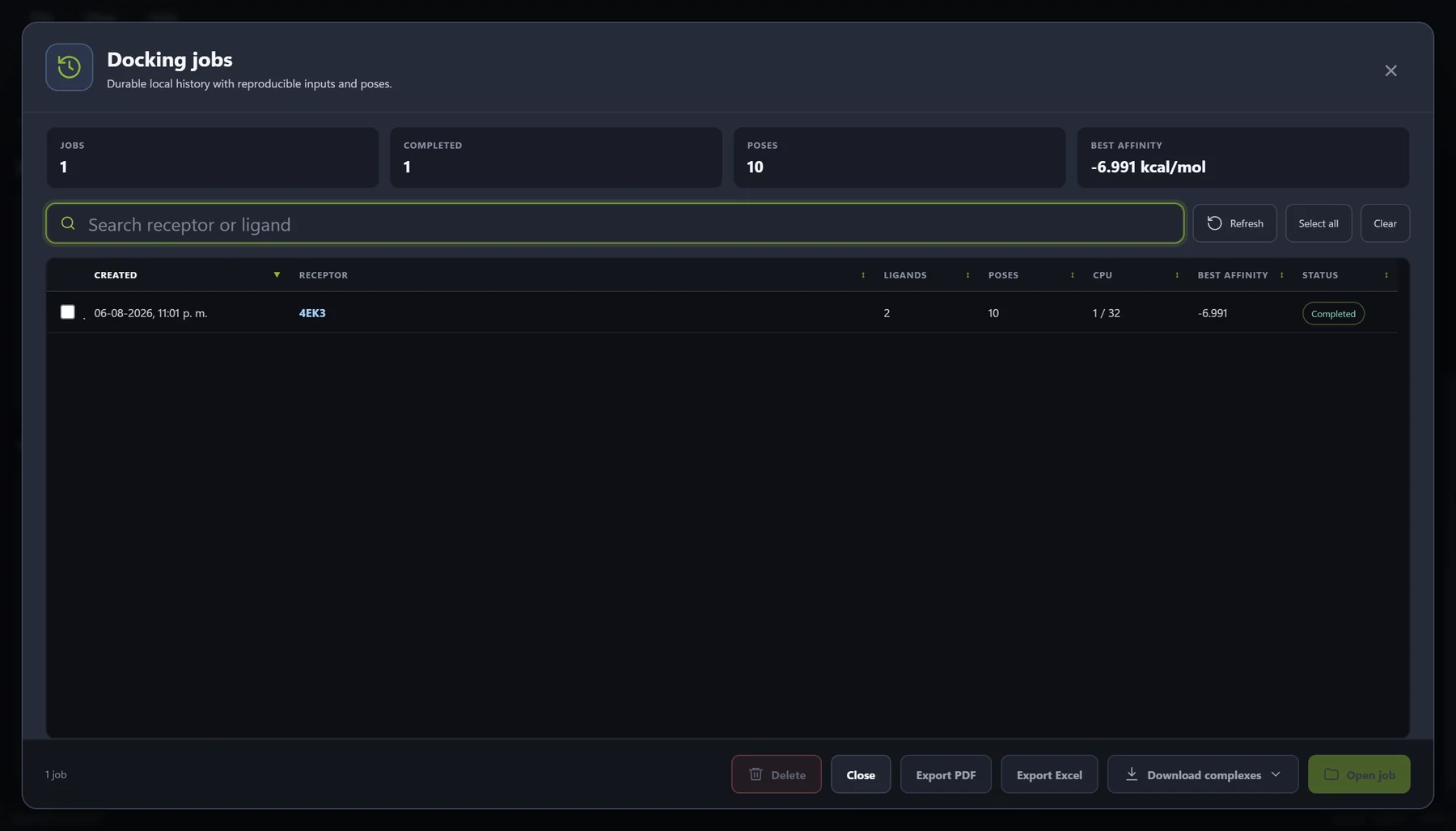
| History and recovery | A completed job can be found later with its inputs, settings, status, poses, and exports connected. | Closing the application breaks the evidentiary link between a result and its run. |
| Export and handoff | Tables, structures, logs, or a portable bundle contain the identifiers and parameters needed by the next reviewer. | The attractive on-screen view cannot be reconstructed outside the product. |
| Commercial fit | Platform, purchase scope, updates, refund terms, data location, and total workflow cost match the intended user. | The purchase would require unpublished multi-user, site, floating, or institutional terms. |
Keep usability evidence separate from scientific evidence
What each observation can support
| Observation | Supported conclusion | Unsupported conclusion |
|---|---|---|
| The EXE or GUI completes both runs. | The software can execute those two cases in the tested environment. | It is accurate, robust for a library, or compatible with every supported-looking file. |
| The reference ligand is recovered near its crystal pose. | The tested protocol provides pose-recovery evidence for that controlled case. | Known actives will rank ahead of inactives or future hits will validate experimentally. |
| The second input is easier to prepare and review. | The product may reduce a measured workflow burden for that user. | The underlying scoring function became more accurate. |
| Run history and exports are complete. | The product supports traceability and handoff for the tested records. | The scientific assumptions encoded in those records are correct. |
| Both scores are favorable. | The engine assigned those values under the recorded protocol. | Either ligand binds, is active, safe, selective, or suitable for clinical use. |
Meaningful docking evaluation should validate each step and parameter rather than trust the result blindly [2]. PoseBusters further shows why native-like RMSD should be complemented by checks of chemical consistency and physical plausibility [3].
Where MolNexus fits in this evaluation
MolNexus 0.1.1 is a local Windows 10/11 64-bit desktop workflow for protein-small-molecule docking. Its current documented surface accepts PDB, CIF/mmCIF, or an RCSB PDB identifier for receptors and SDF, MOL, MOL2, or PDBQT for ligands; connects preparation review, interaction-box setup, AutoDock Vina 1.2.7 with Vina or Vinardo scoring, Mol* pose inspection, result tables, CSV and structure exports, ZIP export, and SQLite-backed local history [6].
MolNexus 0.1.5 is available as a US$299 one-time Windows purchase. Download the installer after successful payment; no product key or activation is required. The full product is offered at US$299 as a one-time purchase for one Windows PC at a time, with perpetual use of the purchased version and 12 months of product updates. The public offer does not advertise team, site, floating, or institution-wide terms. The product is for research use and does not automate target selection or scientific validation.
MolNexus fit and non-fit
| Likely fit | Likely non-fit |
|---|---|
| An individual Windows researcher wants a guided local workflow around Vina and can evaluate it with two representative ligand runs. | The required operating system is macOS or Linux. |
| The buying problem is disconnected preparation, parameter review, pose inspection, export, or local history. | The primary need is command-line automation, a cluster, cloud execution, protein-protein docking, or a managed institutional deployment. |
| The user accepts responsibility for receptor choice, chemistry, protocol validation, and interpretation. | The buyer expects the GUI to certify accuracy, select the biologically correct target, prove binding, or make clinical decisions. |
| A one-PC purchase with ongoing use and 12-month update window match the purchase context. | The decision requires unpublished multi-user, floating, site, procurement, or support terms. |
Make the decision immediately after run two
Choose buy only when the must-have passed, no non-negotiable boundary failed, the retained evidence is adequate, and the measured workflow value justifies the commercial terms. Choose defer when one named, answerable test remains; identify who will resolve it and what evidence closes the question. Choose reject when platform, scientific visibility, export, or purchase scope does not fit.
Do not convert ease of use into an accuracy claim. If the product fits, the next scientific step is still a target-specific validation plan with predefined controls and acceptance criteria. The existing guides on validating a docking workflow before screening, preparing Vina inputs, and interpreting Vina poses and scores address those separate jobs.
References
- Center for Computational Structural Biology. Frequently Asked Questions AutoDock Vina documentation Official guidance on target-specific evaluation, stochastic search, search-space design, and the limits of Vina accuracy.
- Aier I, Varadwaj PK, Raj U, Nagarajaram HA, Kumar S, Choudhury C. Ten quick tips to perform meaningful and reproducible molecular docking calculations PLOS Computational Biology (2025) DOI: 10.1371/journal.pcbi.1013030 Peer-reviewed guidance on validation, visual inspection, input records, parameter disclosure, and reproducibility.
- Buttenschoen M, Morris GM, Deane CM. PoseBusters: AI-based docking methods fail to generate physically valid poses or generalise to novel sequences Chemical Science (2024) DOI: 10.1039/D3SC04185A Original peer-reviewed work showing why pose evaluation should include chemical and physical plausibility beyond RMSD alone.
- Forli Lab. Basic Docking Meeko documentation Official current tutorial separating ligand preparation, receptor preparation, Vina execution, and result export.
- RCSB Protein Data Bank. 1IEP: Crystal structure of the c-Abl kinase domain in complex with STI-571 RCSB PDB (2001) DOI: 10.2210/pdb1IEP/pdb Authoritative structure record for the retained c-Abl–imatinib reference control shown in the product figure.
- Center for Computational Structural Biology. AutoDock Vina v1.2.7 release GitHub Releases (2025) Official release record for the engine integrated by MolNexus.